n8n vs. Zapier vs. Make: Kurį automatizavimo įrankį pasirinkti?
Workflow automation tools have revolutionized how businesses operate in the digital age, transforming time-consuming manual processes into streamlined, error-free operations.

Workflow automation tools have revolutionized how businesses operate in the digital age, transforming time-consuming manual processes into streamlined, error-free operations.
These powerful solutions enable companies to connect disparate applications, automate repetitive tasks, and create efficient workflows without extensive coding knowledge. As organizations seek to maximize productivity while minimizing operational costs, choosing the right automation platform has become a critical business decision. Among the market's leading contenders, n8n, Zapier, and Make stand out with distinct approaches to solving automation challenges. Each platform offers unique advantages that cater to different user needs, technical capabilities, and organizational requirements. This comprehensive analysis will help you navigate these options to find the optimal automation solution for your specific situation. When evaluating software tools, it's always prudent to consider multiple factors, similar to how one might approach a guide to articles about contemporary VPN detection methods, where careful assessment leads to the most suitable choice.
Overview – What Are n8n, Zapier, and Make?
The workflow automation landscape features several powerful platforms, each with distinct philosophies and strengths. Understanding their foundational differences is essential before diving into specific capabilities and use cases.
n8n positions itself as a fair-code licensed workflow automation tool that emphasizes data privacy and control. It caters primarily to technical users and organizations with specific infrastructure requirements, allowing deployment on private servers. Its reputation centers around flexibility and extensibility for those willing to invest time in its setup and maintenance.

n8n positions itself as a fair-code licensed workflow automation tool that emphasizes data privacy and control.
Zapier stands as the industry pioneer, serving millions of users with its intuitive no-code automation platform. It targets primarily non-technical professionals seeking straightforward solutions for connecting apps and automating tasks. With the largest integration library available, Zapier has built its reputation on accessibility and breadth of connection options.

Zapier stands as the industry pioneer, serving millions of users with its intuitive no-code automation platform.
Make (formerly Integromat) offers a visually distinctive approach to business process automation with its scenario builder. It appeals to users seeking a balance between Zapier's simplicity and n8n's flexibility. Make has gained recognition for its powerful visual programming interface that makes complex workflows more comprehensible.

Make (formerly Integromat) offers a visually distinctive approach to business process automation with its scenario builder.
Key Similarities
Despite their differences, these open-source automation and proprietary integration tools share fundamental characteristics:
- Trigger-based workflow architecture that initiates processes based on specific events
- Visual editors that allow users to build workflows through intuitive interfaces
- Support for webhooks and API connections beyond native integrations
- Ability to transform and manipulate data between connected applications
- Options for conditional logic and branching within workflows
- Scheduling capabilities for time-based automation execution
Core Differences
The distinctive approaches of each cloud automation platform become apparent when examining their fundamental design choices:
- Licensing model: n8n offers an open-source option with self-hosting capability, while Zapier and Make operate exclusively as SaaS offerings
- Interface philosophy: Zapier prioritizes simplicity with linear workflows, Make emphasizes visual clarity with its unique flowchart approach, and n8n provides a node-based interface offering granular control
- Technical barrier: Zapier maintains the lowest technical entry point, Make occupies the middle ground, and n8n requires more technical aptitude, especially for self-hosting
- Customization depth: n8n offers the deepest customization options, including custom code nodes, Make provides robust function capabilities, and Zapier offers more limited scripting options
- Pricing structure: Zapier uses operation-based pricing tiers, Make combines operations with complexity factors, and n8n offers both cloud and self-hosted options with different pricing models
Feature-by-Feature comparison
When evaluating these workflow automation platforms, understanding how they compare across critical functionality areas will help determine which solution aligns with your specific requirements.
Integration Library

Zapier leads with over 5,000 app connections, making it the frontrunner for integration breadth.
Zapier leads with over 5,000 app connections, making it the frontrunner for integration breadth. Its extensive marketplace means most popular business applications have pre-built connections. Make follows with approximately 1,500+ apps, while n8n offers around 300+ native integrations but compensates with superior custom API connection capabilities.
For organizations using standard business applications, Zapier likely covers all needs. However, companies with specialized software or custom systems might find n8n's flexibility with webhooks and HTTP requests more valuable despite fewer native integrations.
Workflow Building Experience
Make's visual scenario builder stands out with its intuitive flowchart-style interface that makes complex, multi-path workflows easier to conceptualize. Users consistently praise how the platform visualizes data flows between steps. Zapier offers a more linear, wizard-like approach that excels in simplicity but can become unwieldy for complex scenarios. n8n's node-based interface provides the most granular control but requires a steeper learning curve.
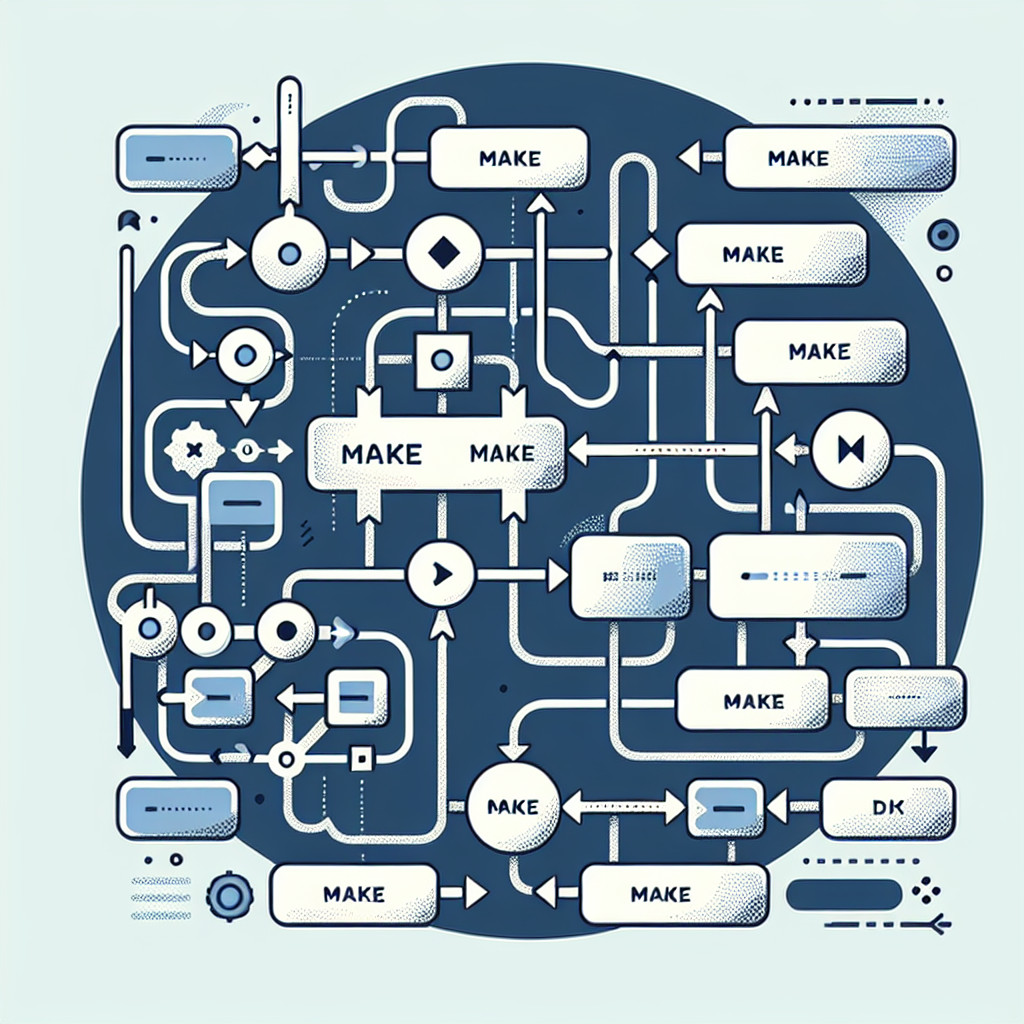
Make's visual scenario builder stands out with its intuitive flowchart-style interface that makes complex, multi-path workflows easier to conceptualize.
The complexity and flexibility of workflow building varies significantly across platforms. Make strikes an impressive balance between power and usability, while Zapier prioritizes accessibility over complexity. n8n offers the greatest customization potential for those willing to invest time in learning its system.
Custom Code Support
n8n provides the most robust support for custom coding, allowing JavaScript functions within workflows and enabling developers to create custom nodes. Make offers strong function capabilities with JavaScript support that can manipulate data and perform calculations. Zapier's Code step is more limited but still allows Python and JavaScript snippets for basic transformations.

n8n provides the most robust support for custom coding, allowing JavaScript functions within workflows.
Organizations with developer resources will likely appreciate n8n's extensibility, while marketing teams and business users might find Zapier's simpler approach sufficient for their needs. Exploring comprehensive resources like expert reviews, guides, and cybersecurity tools can provide additional context for evaluating the security implications of custom code capabilities.
Templates and Learning Resources
Zapier excels with thousands of pre-built templates and extensive documentation designed for non-technical users. Its guided setup wizards make creating common workflows nearly effortless. Make offers hundreds of templates with stronger visual documentation and an active community. n8n has fewer pre-built templates but provides solid technical documentation aimed at more experienced users.

Zapier excels with thousands of pre-built templates and extensive documentation designed for non-technical users.
For rapid deployment without technical expertise, Zapier's template library provides immediate value. Teams with more complex requirements might benefit from Make's more sophisticated templates, while technical teams can leverage n8n's community resources.
Deployment Options
n8n distinguishes itself with self-hosting options that allow organizations to run the platform on their own infrastructure, offering enhanced data privacy and control.

n8n distinguishes itself with self-hosting options that allow organizations to run the platform on their own infrastructure.
Both cloud-based and self-hosted options are available. Zapier and Make operate exclusively as SaaS platforms, eliminating infrastructure management concerns but providing less control over data handling.
Organizations with strict data sovereignty requirements or regulatory constraints may find n8n's self-hosting capability essential, while companies seeking operational simplicity might prefer the SaaS approach of Zapier or Make.
Error Handling and Reliability
Make offers superior error handling with detailed execution history, retry capabilities, and granular error information. Its robust logging and monitoring tools help quickly identify and resolve issues. Zapier provides basic error notifications but less detailed diagnostics. n8n delivers good error visibility and recovery options, particularly in self-hosted environments where users have access to system logs.
For business-critical automations where reliability is paramount, Make's comprehensive error handling represents a significant advantage, particularly for complex workflow scenarios.
Pricing & Value for money
Cost considerations play a crucial role when selecting an automation platform, with each service offering distinct pricing models that impact long-term value.
Free Plan Comparison
n8n Cloud offers a limited free tier with 1,000 executions per month and access to basic features. The self-hosted community edition provides unlimited usage but requires infrastructure management. Zapier's free plan allows 100 tasks per month with single-step automations, while Make provides 1,000 operations monthly with more complex workflow capabilities on its free tier.
For small-scale automation needs, Make's free plan typically offers the most generous allocation. However, n8n's self-hosted community edition provides unlimited usage for those willing to manage their own infrastructure.
Paid Plan Structures
Zapier's pricing scales based on tasks per month, with higher tiers adding multi-step workflows, premium integrations, and team features. Plans range from $19.99 to $599+ per month. Make charges based on operations and complexity factors like scenario count and data transfer, with plans from $9 to $299+ monthly. n8n Cloud uses a similar operation-based model from $20 to custom enterprise pricing, while self-hosted editions offer perpetual licensing options.
The cost differential becomes significant at scale. Zapier typically becomes more expensive for high-volume automation needs, while Make offers better economics for complex workflows. n8n's self-hosted option can provide cost advantages for organizations with existing infrastructure.
Who Gets the Best Deal?
Solopreneurs and small teams with basic automation needs often find Zapier's lower tiers most accessible despite the limited task allocation. Mid-sized businesses with moderate automation requirements typically get excellent value from Make's mid-tier plans. Enterprises and organizations with privacy requirements or high-volume needs may find n8n's self-hosted option most cost-effective long-term despite higher initial implementation costs.
Startups should consider not just current needs but anticipated growth, as migration between platforms can be resource-intensive. For those seeking robust integration and security, check out this trusted guide in the world of online security as a resource for evaluating SaaS safety and value.
Use cases and best fit scenarios
Different automation platforms excel in specific scenarios based on their unique capabilities, making certain tools better suited for particular business requirements.
Marketing Automation
Zapier excels in straightforward marketing automation workflows like lead capture and social media scheduling, making it ideal for marketing teams without technical resources. Make offers more sophisticated campaign orchestration capabilities with its visual builder, benefiting teams needing complex conditional paths. n8n provides the deepest customization for advanced marketing operations but requires more technical configuration.
For most marketing teams, Zapier's extensive integration library with email marketing platforms, CRM systems, and advertising tools offers the fastest path to implementation.
E-commerce Operations
Make's visual workflow templates shine in e-commerce scenarios, offering superior order processing, inventory synchronization, and customer communication flows.
The platform's stronger data transformation capabilities handle complex product information effectively. Zapier provides good coverage for standard e-commerce integrations but with less flexibility. n8n's custom API capabilities can connect to specialized e-commerce systems but require more development effort.
Online retailers with standard platforms like Shopify or WooCommerce might start with Zapier, but those with complex fulfillment processes typically benefit more from Make's advanced features.
Data Synchronization
n8n demonstrates particular strength in data synchronization between databases, CRMs, and specialized applications, especially when custom transformations are needed. Its ability to handle large data volumes efficiently makes it suitable for enterprise environments. Make offers good capabilities for moderate-complexity data synchronization with strong error handling. Zapier handles basic synchronization well but can become costly and unwieldy for high-volume data operations.
Organizations prioritizing data consistency across multiple systems often find n8n's flexibility worth the additional technical investment.
IT and Development Operations
n8n clearly leads for development teams needing to automate infrastructure processes, CI/CD pipelines, and system monitoring. Its self-hosting option and deeper API capabilities align well with technical teams' requirements. Make offers a middle ground with good webhook support and custom functions but less direct infrastructure integration. Zapier provides limited value for core development processes but can help with peripheral tasks like notifications and ticket management.
If you're ready to take the next step and secure your automation stack, consider leveraging software security reviews and recommendations to ensure your platform meets compliance and safety standards.
Regulatory and Privacy-Sensitive Environments
n8n stands out for organizations operating under strict regulatory frameworks (like GDPR, HIPAA, or financial regulations) thanks to its self-hosting option that keeps sensitive data within controlled infrastructure. Neither Zapier nor Make offers comparable data sovereignty, though both maintain strong security practices for SaaS platforms.
Healthcare, financial services, and government agencies with stringent data handling requirements often find n8n's deployment flexibility essential despite the additional implementation complexity.
Pros & Cons table
n8n
Pros:
- Self-hosting option provides maximum data privacy and control
- Unlimited operations possible with self-hosted community edition
- Superior extensibility with custom nodes and JavaScript functions
- No vendor lock-in due to fair-code licensing model
- Strong developer-oriented features and API capabilities
Cons:
- Steeper learning curve requiring technical knowledge
- Smaller integration library compared to competitors
- Self-hosting requires infrastructure management expertise
- Smaller community and fewer ready-to-use templates
- Less intuitive for non-technical business users
Zapier
Pros:
- Most extensive integration library with 5,000+ applications
- Exceptionally user-friendly interface requiring minimal training
- Largest collection of pre-built templates and recipes
- Excellent documentation designed for non-technical users
- Established platform with proven stability and support
Cons:
- Becomes expensive at scale with operation-based pricing
- Limited workflow complexity capabilities
- Restricted data transformation options
- Less flexible error handling and debugging tools
- Linear workflows become unwieldy for complex scenarios
Make (formerly Integromat)
Pros:
- Superior visual workflow builder with intuitive interface
- Excellent balance between power and usability
- More generous free plan than competitors
- Strong data manipulation and transformation capabilities
- Best-in-class error handling and execution monitoring
Cons:
- Fewer integrations than Zapier (though still extensive)
- More complex pricing model that can be difficult to forecast
- Steeper learning curve than Zapier for advanced features
- No self-hosting option for privacy-conscious organizations
- Less established brand with smaller community resources
Conclusion
Choosing the ideal workflow automation platform depends significantly on your organization's specific needs, technical capabilities, and growth trajectory.
Each solution offers distinct advantages that make it suitable for particular use cases.
n8n stands out as the premier choice for technically-oriented teams and organizations with strict data privacy requirements. Its self-hosting capability and extensive customization options make it ideal for complex integrations and specialized workflows, despite requiring more technical expertise to implement and maintain.
Zapier remains the accessibility champion, offering the simplest path to automation for non-technical users and small teams. Its unmatched integration library ensures compatibility with virtually any popular business application, though costs can escalate quickly as automation needs grow.
Make delivers an impressive middle ground, combining powerful visual workflow creation with reasonable pricing and strong error handling. It serves as an excellent option for organizations seeking more advanced capabilities than Zapier offers without n8n's technical requirements.
When selecting your automation platform, consider your team's technical proficiency, privacy requirements, integration needs, and expected automation volume. The right choice will align with both your current circumstances and anticipated future growth. Still not sure which automation tool would best fit your business? Explore in-depth expert reviews and real-world user experiences to make the smartest choice for 2024 and beyond.
FAQ
What are the main differences between n8n, Zapier, and Make?
n8n offers open-source flexibility and self-hosting; Zapier excels in no-code ease and ready-to-use templates; Make (formerly Integromat) specializes in visual, modular workflow creation with a generous free plan.
Which automation platform is best for privacy and data security?
For maximum data privacy, n8n allows on-premise/self-hosted deployment, letting you keep data within your infrastructure.
Which tool has the most integrations?
Zapier is known for the largest integration library, but n8n and Make also support hundreds of popular apps and custom API connections.
Can I migrate workflows between platforms?
There are no direct migration tools, but most platforms allow rebuilding workflows; APIs and webhooks can help automate conversion for advanced users.
Which is best for teams vs. solo users?
Zapier and Make have robust team features; n8n is best for businesses comfortable running their own infrastructure.